
Resources · Event sales
The best Tripleseat add-ons for event sales teams
15 Tripleseat add-ons for event sales teams, grouped by the job each one does, from the first inquiry to the payment, with how to pick by revenue.
Table of contents
- What to know before you add anything to Tripleseat
- The add-ons at a glance
- How we chose and ordered the add-ons
- Add-ons that bring the inquiry into Tripleseat
- Add-ons that reply and follow up
- Add-ons that market to the guests you already have
- Add-ons that keep reservations and events in one view
- Add-ons that plan and staff the event
- Add-ons that take the payment
- Add-ons that report and collect feedback
- Where most Tripleseat add-ons leave a gap
- How to choose a Tripleseat add-on by the revenue it brings in
- FAQ
- Related reading
- Sources
The best Tripleseat add-ons for event sales teams in 2026 are Dexter, which qualifies event inquiries before they reach Tripleseat, plus AddSalt, OpenTable Private Dining, Cvent Leads, Hermetic, Loyalist, Airship, Constant Contact, SevenRooms, Cvent Event Diagramming, Creventa, Event Staff App, Square, Amaze Insights, and Benbria. Dexter is the pick for restaurants, hotels, and venues that prioritize events and want each inquiry qualified before it reaches Tripleseat. AddSalt suits venues that miss event calls after hours, and OpenTable Private Dining suits restaurants already on OpenTable. Cvent Leads brings in group business for hotels and venues that take RFPs from meeting planners. Hermetic replies to new inquiries at any hour, and Loyalist, Airship, and Constant Contact market to the guests you already have. SevenRooms keeps reservations and events in one view, and Cvent Event Diagramming, Creventa, and Event Staff App help you plan and staff the event. Square takes the payment, and Amaze Insights and Benbria report on how it all went.
Tripleseat add-ons come in two kinds, Tripleseat’s own modules and partner tools from other companies. Tripleseat’s own modules are Floor Plans, Direct Book, Venue Marketplace, Insights, and Tickets. All 15 picks here are partner tools that connect to Tripleseat, and all but Hermetic appear in Tripleseat’s partner directory. Dexter works alongside Tripleseat rather than replacing it, sending each qualified inquiry into Tripleseat as an enriched lead.
Most of these tools start working once an event is already in Tripleseat. The part of the sale they rarely touch is the inquiry itself. That’s where your team spends their time, asking guests for the date, the headcount, the setup, and the budget before anyone can send a proposal. Of the add-ons on this list, Dexter is the one built for that first step. Dexter is an event sales software for restaurants, hotels, and venues to grow event revenue.
Dexter wrote this guide and appears on it.
What to know before you add anything to Tripleseat
- Tripleseat’s own add-ons are modules you switch on in your Tripleseat package (Tripleseat packages). One of them, Direct Book, lets customers self-book large group reservations, private events, and catering from your website, 24 hours a day (Direct Book). Dexter works with Direct Book, and the two handle different events (Dexter and Tripleseat). Direct Book takes the smaller, standardized events a guest can book instantly. Dexter qualifies the larger inquiries that need a salesperson before they’re booked.
- Partner tools are how “Tripleseat connects with the hospitality technology, payment processors, and marketing tools your team already depends on,” in Tripleseat’s own words (Tripleseat partners). Their integrations page sorts those partners into 23 categories, from Accounting and CRM to Room Diagramming and Website Management (Tripleseat partners and integrations).
- Tripleseat lists Dexter under Lead Generation, next to AddSalt, Cvent Leads, and Cvent Reposite, and under Marketing. Their Dexter page describes “branded intake forms that qualify private event inquiries as soon as they come in, cross-sell sister properties, and send enriched leads straight into Tripleseat” (Tripleseat’s Dexter page).
- Golden Age Hospitality, a New York group, put Dexter in front of Tripleseat. Comparing October 2025 to April 2026 with the same months a year earlier, their event revenue grew from $1.4m to $2.4m (Golden Age Hospitality case study). Now 27% of their inquiries arrive in Tripleseat with two or more locations selected, which gives the team more than one venue to offer on the same lead.
- Several add-ons only start once a booking exists. Creventa emails the lead booker to collect pre-orders and seating, and Event Staff App syncs client and event data after the event is booked in Tripleseat (Creventa on Tripleseat, Event Staff App on Tripleseat).
- Revenue is the fairest test for any add-on. Conversion is the early signal, but it can rise while revenue falls if more of your bookings turn into smaller events.
The add-ons at a glance
Here’s how the 15 add-ons compare, in the order they show up in an event’s life.
| Add-on | Job | Best for | How it connects to Tripleseat |
|---|---|---|---|
| Dexter | Bring in and qualify inquiries | Restaurants, venues, and hotels that prioritize events and want each inquiry qualified | Sends each qualified inquiry into Tripleseat as an enriched lead, mapped to your fields |
| AddSalt | Bring in inquiries by phone | Venues that miss event calls after hours | Event details from each call flow into Tripleseat as an inquiry |
| OpenTable Private Dining | Bring in inquiries from OpenTable | Restaurants already on OpenTable | Private Dining leads go to your Tripleseat account automatically |
| Cvent Leads | Bring in group business | Hotels and venues that take RFPs from meeting planners | Cvent RFPs arrive as leads in Tripleseat |
| Hermetic | Reply and follow up | Venues that want each new inquiry answered at any hour | A Chrome extension adds a conversations tab to Tripleseat lead pages |
| Loyalist | Market to past guests | Restaurant groups that want event and dining history in one guest profile | Pulls event and booking data from Tripleseat |
| Airship | Market to past guests | Operators who send guest emails based on booking status | New, confirmed, and canceled bookings flow from Tripleseat into Airship |
| Constant Contact | Market to past guests | Teams that want an email tool with templates and list building | Listed for Direct Book, Tripleseat, and Tripleseat Hotels |
| SevenRooms | Sync reservations and events | Groups whose hosts need to see booked events next to table reservations | Shows Tripleseat events and SevenRooms reservations in one view |
| Cvent Event Diagramming | Plan the event | Venues that design floor plans with the planner | Collaborative room layouts for Tripleseat events |
| Creventa | Plan the event | Venues that run seated events with pre-orders | Place cards, kitchen sheets, and seating plans open from the Tripleseat event |
| Event Staff App | Staff the event | Venues that schedule event staff shift by shift | Client and event data sync once the event is booked |
| Square | Take payment | Venues that want online card payments reported inside Tripleseat | Payments show in Tripleseat’s payment and activity reports |
| Amaze Insights | Report on performance | Hotels with more than one sales and catering system | Combines Tripleseat data with data from other systems |
| Benbria | Collect feedback | Teams that want guest feedback at each stage of the sale | Sends surveys when a customer reaches a milestone in Tripleseat |
How we chose and ordered the add-ons
We started from Tripleseat’s own partners and integrations pages, read on November 3, 2026, and kept the tools an events team would use to sell, plan, or report on events. Tripleseat’s own modules come with your Tripleseat package, so they’re covered above rather than numbered here. We also left out delivery, signage, and training partners. Hermetic isn’t on the Tripleseat pages we read, but they publish their own Tripleseat extension, so they’re in.
The list is grouped by job and ordered by where each job sits in an event’s life, from the first inquiry to the payment and the feedback afterwards. Dexter comes first because the inquiry comes first, and the order isn’t a ranking. For each add-on we noted:
- Who it fits best.
- What it does, in the company’s own words where they give them.
- How it connects to Tripleseat, as Tripleseat’s partner page describes it.
- How Tripleseat lists it.
Add-ons that bring the inquiry into Tripleseat
These four add a way for a lead to reach Tripleseat. They differ in where the guest starts: on your website, on the phone, on OpenTable, or in a meeting planner’s request for proposal.
1. Dexter
Best for: restaurants, venues, and hotels that prioritize events and want each inquiry qualified before it reaches Tripleseat.
- What it does: Dexter has four parts, AI Search, Intake, and Outreach, with Insights included. Intake is the inquiry form on your website. Outreach re-engages past leads, and AI Search works on your venue’s visibility in AI search.
- How it connects to Tripleseat: each inquiry lands in Tripleseat as a new, enriched lead with the occasion, event date, guest count, budget range, and venue preference, mapped to your fields, custom fields included. The extra context goes in Additional Information. Dexter works with Tripleseat, Tripleseat Direct Book, and Tripleseat Hotels (Dexter and Tripleseat).
- Also works with: Perfect Venue (Perfect Venue and Dexter), Event Temple, Gmail, Outlook, other email inboxes, and Google Sheets.
- Tripleseat listing: a partner under Lead Generation, next to AddSalt, Cvent Leads, and Cvent Reposite, and under Marketing, for Tripleseat and Tripleseat Hotels (Tripleseat’s Dexter page).
- Pricing: quoted per location in a demo, month to month, with no setup fee and group pricing for several venues.
- Results: Hotel Chelsea was fielding 200+ inquiries a week when they upgraded their event form with Dexter and started sending the leads to Tripleseat. Their conversion rate went from 10% to 22%, and the team surpassed revenue goals (Hotel Chelsea case study).
- Website: teamdexter.com
Dexter replaces the generic contact form in front of Tripleseat. Before a guest submits, they see your spaces, your capacities, and the details that decide fit. The form also asks what your coordinator would otherwise ask by email: the occasion, the date and a backup date, the headcount, the setup, the space, and a budget range. If you run more than one venue, the guest can pick your sister venues on the same form, and your team gets one lead with all of them on it. Dexter is the inquiry form and the qualifying step itself, which makes it a different kind of add-on from Tripleseat’s own modules. It’s also different from an automation tool like Zapier, which moves data between apps.
Roscioli NYC is the clearest case of keeping Tripleseat as it is. Before Dexter, each of their 100+ inquiries a week took three to four emails to qualify. The team’s workflow depended on Tripleseat, so changing it was off the table. Dexter integrated with Tripleseat and their inbox with “no additional team training needed”, and the team now saves 10+ hours a week (Roscioli case study). Dexter also attaches the UTM parameters from your paid ads, newsletters, and QR codes to each lead it sends to Tripleseat, so you can see which campaign an inquiry came from (Dexter and Tripleseat).
The other parts of Dexter pick up where Intake stops. Dexter Outreach re-engages the past leads already in Tripleseat or your inbox, with emails written in your venue’s voice and sent from a person on your events team. Dexter Insights tracks converted deals, pipeline growth, ROI, cross-selling rate, time to close, and source, so an owner can see what the events program brought in.
Strengths - Qualifies the inquiry on your website, the step most Tripleseat add-ons don’t reach. - Cross-sells sister venues on the same lead, and covers new inquiries and past leads in one product.
Considerations - Pricing is quoted in a demo for your venues.
See an inquiry arrive in Tripleseat
Book a demo to watch a Dexter inquiry land in Tripleseat with the details already filled in.
Book a Demo2. AddSalt
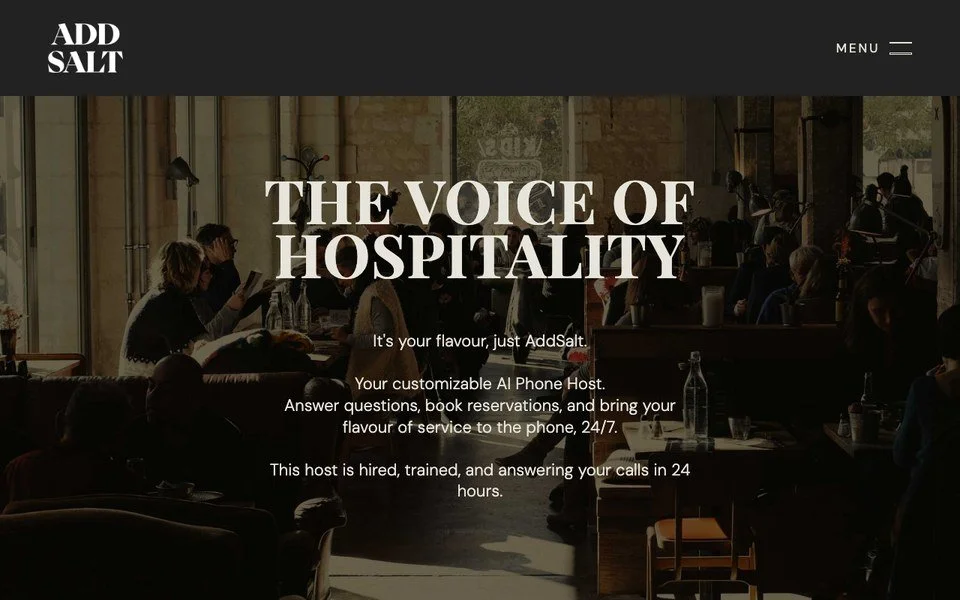
Best for: venues that lose event calls after hours or when the host stand is busy.
- What it does: AddSalt describes their product as a customizable AI phone host that answers questions and books reservations by phone, around the clock (AddSalt).
- How it connects to Tripleseat: when a guest calls, AddSalt captures the event details and sends them into Tripleseat as an inquiry (AddSalt on Tripleseat).
- Tripleseat listing: Artificial Intelligence and Lead Generation.
- Website: addsalt.ai
AddSalt covers the phone, which is the channel a website form never sees. If a good share of your event business still starts with a call, it saves your team from typing those details into Tripleseat by hand.
Strengths - Answers event calls at any hour and logs them in Tripleseat without manual entry. - Handles reservations on the same line, so one tool covers both kinds of call.
Considerations - It works on calls, so the inquiries that come through your website still arrive however your form sends them today.
3. OpenTable Private Dining
Best for: restaurants already on OpenTable that want private dining requests from OpenTable’s network in Tripleseat.
- What it does: OpenTable offers two connections to Tripleseat. The Private Dining one brings in leads from OpenTable, and the Guest Center one shows Tripleseat events next to your OpenTable reservations.
- How it connects to Tripleseat: “When you activate the integration, your OpenTable Private Dining Leads will be sent to your Tripleseat account automatically!” With Guest Center, “pending and confirmed events appear directly in OpenTable” (OpenTable on Tripleseat).
- Tripleseat listing: Lead Generation and Table Management.
- Website: opentable.com
Tripleseat’s page says the Private Dining connection helps venues get discovered in Google searches and gives the team the party details up front. The Guest Center connection is the operational half, since it keeps a table from being booked on top of a private event.
Strengths - Two jobs in one partner: a source of leads, and a guard against double bookings.
Considerations - It only helps if your restaurant is on OpenTable, and the leads arrive with whatever details OpenTable collects.
4. Cvent Leads
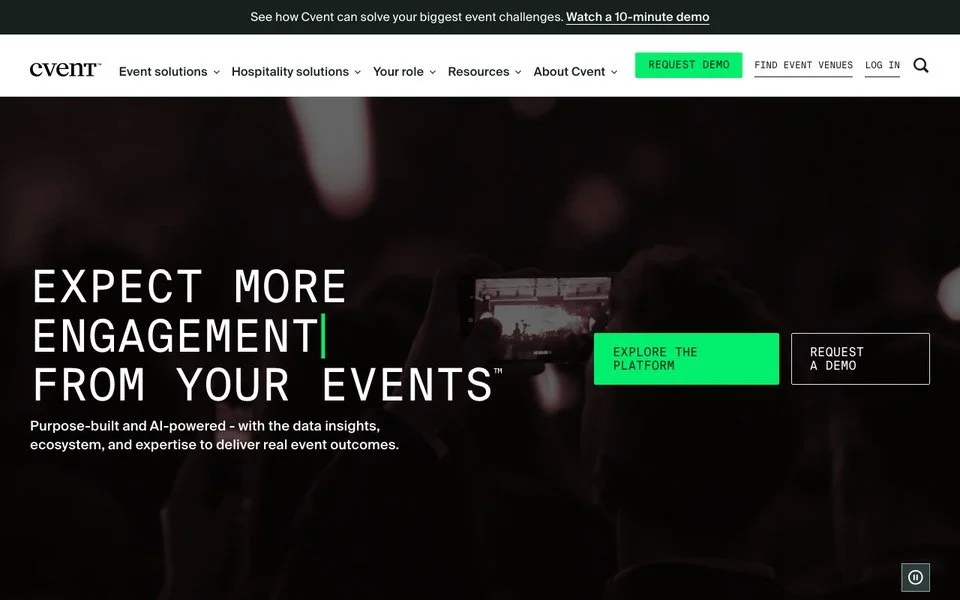
Best for: hotels and venues that sell meetings and group business to professional planners.
- What it does: Tripleseat partnered with Cvent so venues can receive Cvent RFPs from event planners as leads in Tripleseat (Cvent Leads on Tripleseat).
- How it connects to Tripleseat: every Cvent RFP from an event planner comes into Tripleseat as a lead, and you can create room blocks and bookings from Cvent proposals that are awarded to your venue.
- Tripleseat listing: Lead Generation, for Tripleseat and Tripleseat Hotels.
- Website: cvent.com
Cvent Leads keeps planner requests in the same place as the rest of your leads, so your team doesn’t manage two pipelines. It suits hotels and larger venues that sell to planners.
Strengths - Brings planner RFPs and the bookings they turn into under one roof.
Considerations - It covers requests that come through Cvent, so guests who find you directly still reach you another way.
Add-ons that reply and follow up
Once an inquiry is in Tripleseat, someone has to answer it. A guest who writes to several venues at once is shopping around, so the first reply carries a lot of weight.
5. Hermetic

Best for: venues that want each new inquiry answered and followed up at any hour, nights and weekends included.
- What it does: Hermetic’s AI agent, Mia, “engages & converts inbound leads for restaurants, hotels, and event venues”. The site says she answers inquiries around the clock by text, with a voice agent for calls, qualifies leads, books tours, and follows up on leads that stall (Hermetic).
- How it connects to Tripleseat: Hermetic publishes a Chrome extension for Tripleseat that injects a Hermetic AI conversations tab into Tripleseat lead pages (Chrome Web Store).
- Tripleseat listing: not on the Tripleseat partner pages we read.
- Website: hermetic.ai
Hermetic and Dexter do different jobs, so a venue can run both. Dexter qualifies the inquiry and sends it into Tripleseat with the details your team needs to reply, and Hermetic follows up with the guest by text. Our guide to tools that support the tools you already love covers how the two fit in more detail.
Strengths - Replies to every new inquiry at any hour, so a guest who’s shopping around hears back quickly.
Considerations - The Tripleseat connection runs through a browser extension, so your team sees the conversations tab when they work in Chrome.
Add-ons that market to the guests you already have
Past clients and past inquiries are often the most valuable list a venue owns. These three tools use what’s in Tripleseat to reach them again. If you want to start with the past leads themselves, our guide on how to re-engage past event leads walks through it.
6. Loyalist
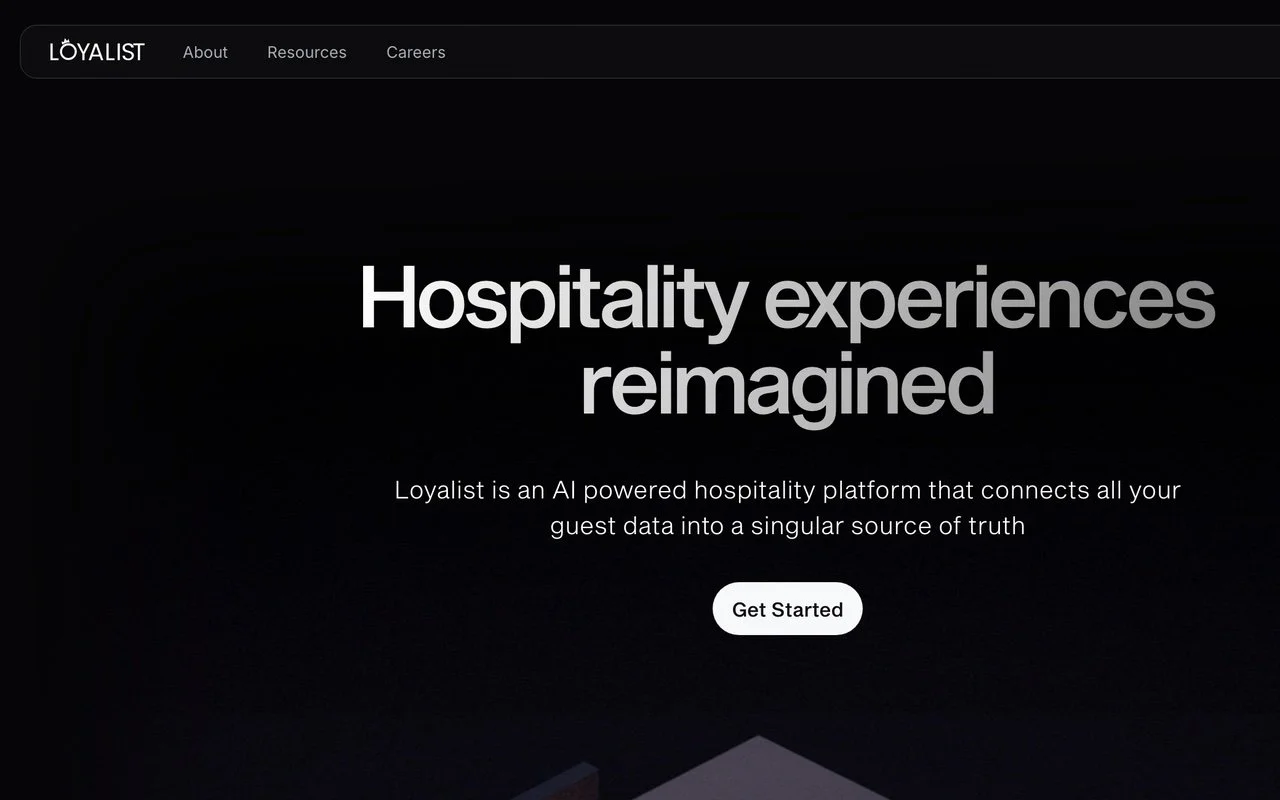
Best for: restaurant groups that want each guest’s event and dining history in one profile, with marketing built on it.
- What it does: “Loyalist is a CRM and marketing platform for restaurants that brings all guest data into one place” (Loyalist on Tripleseat).
- How it connects to Tripleseat: Loyalist pulls event and booking data from Tripleseat and combines it with reservation and dining data from Resy, OpenTable, Tock, and SevenRooms, so you can see which event bookers also dine with you.
- Tripleseat listing: CRM.
- Website: loyalist.com
Loyalist works on the guest’s whole relationship with your group, and Dexter works on the event inquiry at the top of it. A group can run both, since Dexter’s leads go into Tripleseat and Loyalist pulls them in from there. Our page on Dexter and Loyalist explains how they meet.
Strengths - Puts a guest’s event history next to their dining history.
Considerations - It draws on the systems you connect to it, so a single venue running Tripleseat alone gives it less to work with.
7. Airship
Best for: operators who want guest emails triggered by where each event booking stands.
- What it does: Tripleseat describes Airship as a marketing automation and guest communication tool for venue operators (Tripleseat partners and integrations).
- How it connects to Tripleseat: Airship captures new, confirmed, and canceled event bookings from Tripleseat, so you can send personalized messages at each stage (Airship on Tripleseat).
- Tripleseat listing: CRM.
- Website: airship.co.uk
Airship is useful when you want a confirmed event to start a sequence of guest emails, or a canceled one to start a different message. Because it works from booking status, the messages follow what actually happens in Tripleseat.
Strengths - Turns booking status in Tripleseat into the trigger for guest communication.
Considerations - It messages guests once a booking exists, so it doesn’t reach leads who inquired and never booked unless they’re already in your lists.
8. Constant Contact
Best for: small teams that want a familiar email tool with templates and list building.
- What it does: Tripleseat’s page describes “awe-inspiring templates”, an “easy-to-use editor”, and “powerful list-building tools” (Constant Contact on Tripleseat).
- How it connects to Tripleseat: listed for Direct Book, Tripleseat, and Tripleseat Hotels.
- Tripleseat listing: Marketing.
- Website: constantcontact.com
Constant Contact is a general email platform, and plenty of venues already use one for newsletters. The Tripleseat page describes Constant Contact’s own tools rather than what passes between the two, so ask either company what syncs before you rely on it for event marketing.
Strengths - Templates, an editor, and list building in one place, which suits a small team sending newsletters.
Considerations - It’s a general email platform, so the event-specific pieces, like which past leads to write to and what to say, are yours to set up.
Add-ons that keep reservations and events in one view
When a private event takes the back room, the host stand needs to know about it. This job keeps your floor team from being caught out by events your sales team has booked.
9. SevenRooms
Best for: multi-concept groups whose hosts need booked events and large reservations in front of them.
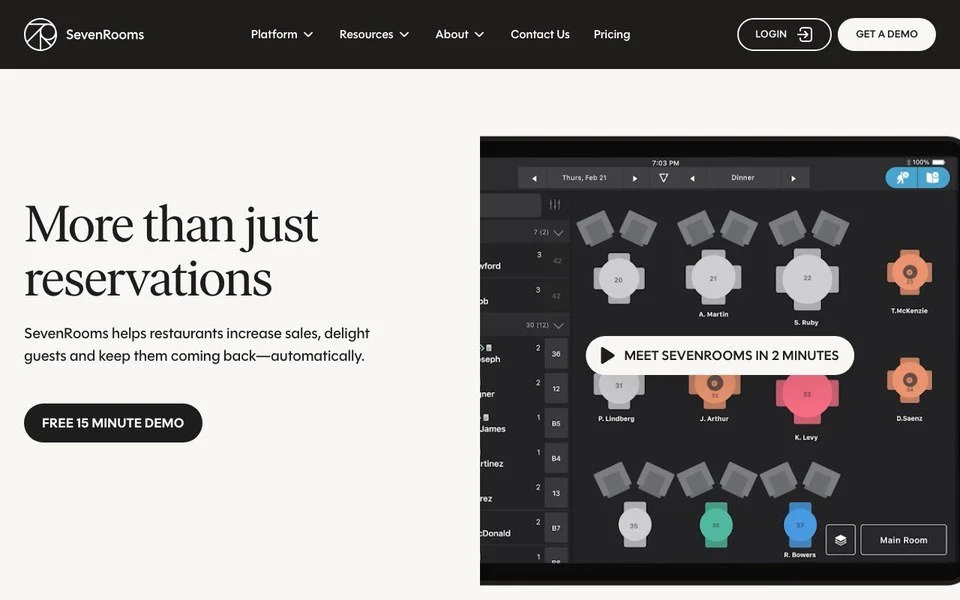
- What it does: Tripleseat’s page describes SevenRooms as a reservation, seating, and guest engagement solution that helps operators build direct relationships with their guests (SevenRooms on Tripleseat).
- How it connects to Tripleseat: private event bookings from Tripleseat appear next to SevenRooms table reservations, with their setup and breakdown times, so the floor team doesn’t have to check with the events staff.
- Tripleseat listing: CRM.
- Website: sevenrooms.com
Brian Siegel, Director of Hospitality at LDV Hospitality, quoted on Tripleseat’s page, says “The integration means that our service team isn’t left in the dark when a big party books an event.” A host who can see the event can plan the rest of the night around it.
Strengths - Keeps sales and the floor team working from the same picture.
Considerations - It’s an operations add-on, so it protects the events you’ve sold more than it brings in new ones.
Add-ons that plan and staff the event
These three come in after the contract is signed. They save your team time on the details of each event.
10. Cvent Event Diagramming
Best for: venues that design floor plans and room layouts together with the planner.
- What it does: “Cvent Event Diagramming (formerly Social Tables) is a collaborative event design platform that empowers planners and venues to come together and bring their events to life” (Cvent Event Diagramming on Tripleseat).
- How it connects to Tripleseat: venue staff and planners work on room layouts for Tripleseat events.
- Tripleseat listing: Room Diagramming, for Tripleseat and Tripleseat Hotels.
- Website: cvent.com
If you’ve used Social Tables, this is the same product under Cvent’s name. Tripleseat also offers their own Floor Plans, with 2D and 3D event layouts (Tripleseat packages), so check what your package already covers before you add Cvent’s.
Strengths - Lets the planner and your team shape the layout together.
Considerations - It overlaps with Tripleseat’s own Floor Plans for venues that only need simple layouts.
11. Creventa
Best for: venues that run seated events with food and drink pre-orders and dietary needs.
- What it does: Creventa “automatically communicates with attendees to collect their preferences, including food and drink pre-orders, allergens, dietary requirements, and seating positions” (Creventa on Tripleseat).
- How it connects to Tripleseat: Creventa emails the lead booker a branded page to invite guests and seat them on a plan. Place cards, kitchen sheets, front of house reports, and seating plans open from the Tripleseat event, and changes show live.
- Tripleseat listing: Pre-Orders, for Direct Book, Tripleseat, and Tripleseat Hotels.
- Website: creventa.com
Creventa takes the spreadsheet of who’s eating what off your coordinator’s desk. It does the most on seated dinners and set menus, where each guest’s order and allergies have to reach the kitchen.
Strengths - Collects pre-orders and dietary needs from every attendee, not only the booker.
Considerations - It does less for standing receptions and buyouts with an open menu.
12. Event Staff App
Best for: venues that schedule event staff shift by shift and run payroll for them.
- What it does: Event Staff App provides “staff scheduling, time tracking, and payroll tools for events” (Tripleseat partners and integrations).
- How it connects to Tripleseat: once clients book events through Tripleseat, client and event data syncs to Event Staff App for day-of operations and payroll (Event Staff App on Tripleseat).
- Tripleseat listing: Event Staffing, for Direct Book, Tripleseat, and Tripleseat Hotels.
- Website: eventstaffapp.com
Event Staff App saves your team from retyping each booked event into a scheduling tool, and it carries the event through to the day-of shifts and the payroll afterwards.
Strengths - Booked events reach the staff schedule without being entered twice.
Considerations - It starts after the booking, so it saves time on events you’ve already won.
Add-ons that take the payment
13. Square
Best for: venues that want online card payments for deposits and balances reported inside Tripleseat.
- What it does: Square processes credit card payments for online transactions, with no long-term contracts (Square on Tripleseat).
- How it connects to Tripleseat: a Tripleseat admin turns it on in account settings, and payments processed with Square show in Tripleseat’s Event Payments, Booking Payments, and Activity reports.
- Tripleseat listing: Payment Processing, for Direct Book, Payments, Tripleseat, and Tripleseat Hotels.
- Website: squareup.com
If your venue already runs Square at the bar or the host stand, keeping event payments there too means one less account to reconcile. Tripleseat lists Square for their own Payments product as well, so ask Tripleseat how the two options compare for your package.
Strengths - Event payments are reported in Tripleseat, where your team already works.
Considerations - If you don’t use Square anywhere else, it adds a second processor to manage.
Add-ons that report and collect feedback
The last job is learning from what you’ve sold, so the next season goes better.
14. Amaze Insights
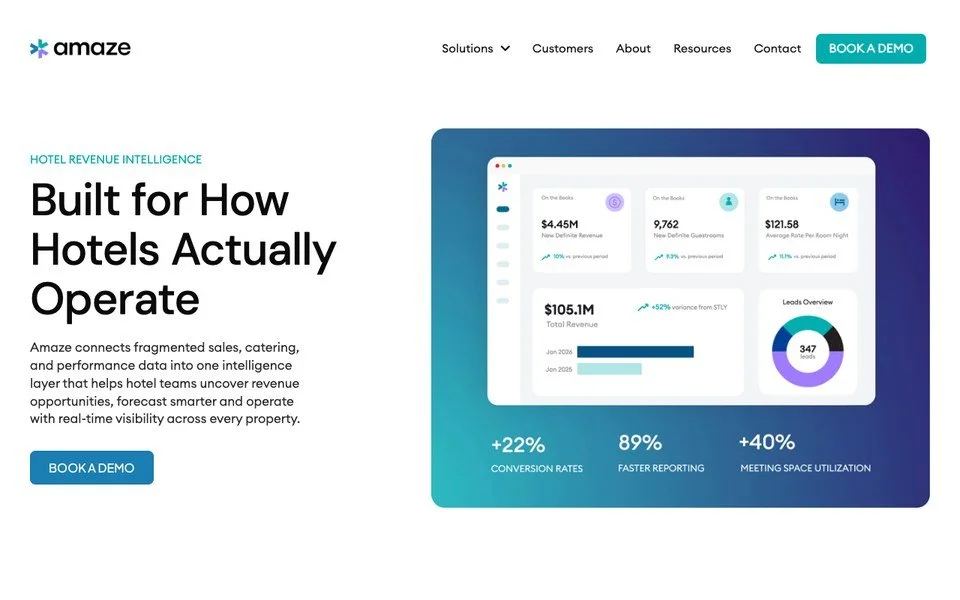
Best for: hotels that run more than one sales and catering system and want one set of reports.
- What it does: Amaze “connects fragmented sales, catering, and performance data into one intelligence layer that helps hotel teams uncover revenue opportunities, forecast smarter and operate with real-time visibility across every property” (Amaze Insights).
- How it connects to Tripleseat: Tripleseat runs booking and catering, and Amaze combines that data with the hotel’s other systems in one dashboard (Amaze Insights on Tripleseat).
- Tripleseat listing: Business Intelligence Reporting, for Tripleseat Hotels.
- Website: amazeinsights.com
Amaze is built for hotel portfolios, where events revenue sits beside rooms and other outlets. Tripleseat lists it for Tripleseat Hotels only, so it’s aimed at hotel groups rather than a standalone restaurant.
Strengths - One view across properties and systems.
Considerations - It reports on the data your systems already hold, so it shows where revenue came from rather than bringing in new inquiries.
15. Benbria
Best for: teams that want to hear from guests at each stage of the sale, before and after the event.
- What it does: “The Loop Experience Platform by Benbria allows you to automatically collect feedback at four key points in the customer journey”, which are pre-sale, post-sale, pre-event, and post-event (Benbria on Tripleseat).
- How it connects to Tripleseat: when a customer reaches a milestone in Tripleseat, Loop sends the matching survey, using measures like Net Promoter Score.
- Tripleseat listing: Messaging Platforms, for Tripleseat and Tripleseat Hotels.
- Website: benbria.com
A pre-sale survey can tell you why a guest went elsewhere, which is one of the hardest things for an events team to find out. You can start with one survey and add the others later.
Strengths - Feedback tied to the exact stage of the sale, sent automatically.
Considerations - It tells you what guests think, and someone on your team still has to act on the answers.
Where most Tripleseat add-ons leave a gap
Of the 15 add-ons on this list, 11 start once a lead or a booking is already in Tripleseat. AddSalt, OpenTable, and Cvent Leads each open a new way in, through the phone, OpenTable’s network, and planner RFPs. The inquiries that come through your own website still arrive with whatever your form collects.
What matters is how much your team still has to ask before they can send a proposal. When a typical inquiry needs a few emails to pin down the date, the setup, the space, and the budget, none of the other add-ons close that gap. That first step is where Dexter works, and our article on why you’d need Dexter if you already have a form shows the difference field by field.
How to choose a Tripleseat add-on by the revenue it brings in
A venue should start with the job that costs them the most revenue today. An add-on that saves time is worth having, but the one to buy first is the one that books more events, or bigger ones.
- Choose Dexter if your team spends their week chasing details on website inquiries, you have sister venues to cross-sell, or past leads in Tripleseat rarely hear from you again.
- Choose AddSalt if event calls go to voicemail after hours.
- Choose OpenTable Private Dining or Cvent Leads if you want more leads from OpenTable’s diners or from meeting planners.
- Choose Hermetic if new inquiries wait too long for a first reply.
- Choose Loyalist, Airship, or Constant Contact if you want to market to past guests and event clients from the data in Tripleseat.
- Choose SevenRooms if your floor team keeps getting surprised by booked events.
- Choose Cvent Event Diagramming, Creventa, or Event Staff App if planning and staffing each event eats your coordinator’s time.
- Choose Square if you want event payments online and reported in Tripleseat.
- Choose Amaze Insights or Benbria if you need reports across hotel systems or feedback from guests.
Then judge it on revenue. Conversion is a good early signal, but if you’re converting more small events than big ones, your conversion rate can go up while your event revenue goes down. Give a new add-on 2 to 3 months, agree up front what your team and your owner want from it, and compare event revenue with the same months a year earlier. Revenue is king, and it’s the number your owner will ask about.
FAQ
What are the best Tripleseat add-ons for event sales teams?
The best Tripleseat add-ons for event sales teams in 2026 are Dexter, AddSalt, OpenTable Private Dining, and Cvent Leads for bringing in inquiries, Hermetic for replies, and Loyalist, Airship, and Constant Contact for marketing to past guests. SevenRooms syncs reservations and events, and Cvent Event Diagramming, Creventa, and Event Staff App help plan and staff each event. Square takes payment, and Amaze Insights and Benbria handle reporting and feedback.
What’s the difference between Tripleseat’s own add-ons and partner add-ons?
Tripleseat’s own add-ons are modules you switch on in your Tripleseat package, which are Floor Plans, Direct Book, Venue Marketplace, Insights, and Tickets (Tripleseat packages). Partner add-ons are tools from other companies that connect to Tripleseat, like Dexter and the other 14 tools on this list. Among them, Dexter is the one that qualifies each inquiry on your website before it reaches Tripleseat.
Does Dexter replace Tripleseat?
No. Dexter works alongside Tripleseat and sends every qualified inquiry into it. Tripleseat keeps the lead, the proposal, the contract, and the event. Dexter qualifies each inquiry on your website first, so each lead arrives in Tripleseat enriched and mapped to your fields. Dexter works with Tripleseat, Tripleseat Direct Book, and Tripleseat Hotels (Dexter and Tripleseat).
Where can I see every Tripleseat integration?
Tripleseat lists their partners on their integrations page, with 23 category filters that include Lead Generation, CRM, Marketing, Payment Processing, Reservations, and Room Diagramming (Tripleseat partners and integrations). Each partner has a page there, and some pages say more about what connects than others. Some tools, like Hermetic, publish their Tripleseat connection on their own channels instead.
Which Tripleseat add-ons help a venue book more events?
The add-ons that bring in or answer inquiries have the most direct effect on bookings, because they work before the event is won. Dexter, AddSalt, OpenTable Private Dining, and Cvent Leads add or improve the way leads reach Tripleseat, and Hermetic answers them. Planning, staffing, and payment add-ons save time on events you’ve already booked.
Can I run Dexter with other Tripleseat add-ons?
Yes. Each add-on on this list does a different job, so many venues run several at once. Dexter qualifies the inquiry before it reaches Tripleseat, and Loyalist can pull it into a guest profile once it’s there. Planning and payment tools take over once the event is booked.
Related reading
- Find tools that support the tools you already love
- Best event sales software for restaurants in 2026
- I already have a form on my website. Why do I need Dexter?
- How to re-engage past event leads
- Dexter and Loyalist
- What is event sales software, and which venues need it?
Sources
- Tripleseat’s partners and integrations page and their partner pages for Dexter, AddSalt, OpenTable, Cvent Leads, Loyalist, Airship, Constant Contact, SevenRooms, Cvent Event Diagramming, Creventa, Event Staff App, Square, Amaze Insights, and Benbria, plus their packages and Direct Book pages, read November 3, 2026, with the partner directory, packages, Direct Book, and Dexter pages read again November 17, 2026.
- Company sites for AddSalt, Hermetic, Perfect Venue’s Dexter page, and Amaze Insights, and Hermetic’s Tripleseat extension on the Chrome Web Store, read November 3, 2026.
- Dexter and Tripleseat, teamdexter.com, read November 3 and November 17, 2026.
- Roscioli, Golden Age Hospitality, and Hotel Chelsea case studies on teamdexter.com, read November 3 and November 17, 2026. Every quote is verbatim from those pages, and every figure is as they report it.
See it with your own form
Give the demo a whirl, or book 15 minutes and we will show you a Dexter form flowing into Tripleseat, another event management system or your inbox.
Book a Demo